
Housecall Pro vs Jobber for HVAC Contractors (2026)
By Tommy Premeaux
Last updated: May 15, 2026
In a hurry? If you run a 3-8 truck Texas HVAC shop and want the tool that gets you off spreadsheets fastest, go with Housecall Pro. If you're a 1-3 truck solo operation that lives and dies by clean invoicing and QuickBooks integration, Jobber is the cleaner starting point. Both will handle dispatch, scheduling, and customer records. The difference is in the details that matter when you're knee-deep in a refrigerant leak at 4 PM and the phone won't stop ringing.
This article contains affiliate links. I only recommend tools I've actually demoed and that HVAC contractors I talk to every day are using. If you sign up through my links, I earn a commission at no extra cost to you. See full disclosure below.
At a Glance
| | Housecall Pro | Jobber | |---|---|---| | Best for | 3-8 truck HVAC shops ready to systemize | 1-3 truck solo HVAC contractors | | Starting price | $59/mo (1 user) | $49/mo (1 user) | | Free trial | 14 days | 30 days | | HVAC-specific features | HVAC price book, flat-rate pricing, seasonal service plans | General service business toolkit | | QuickBooks sync | Native two-way | Native two-way (arguably cleaner) | | Mobile app rating | 4.7/5 (Capterra, 2,700+ reviews) | 4.5/5 (Capterra) | | 24/7 call answering | Add-on: HCP Assist ($99/mo) | Not available | | Review automation | Built-in | Built-in | | Route optimization | Yes | Yes | | Customer financing | Built-in (GreenSky, Wisetack) | Via third-party |
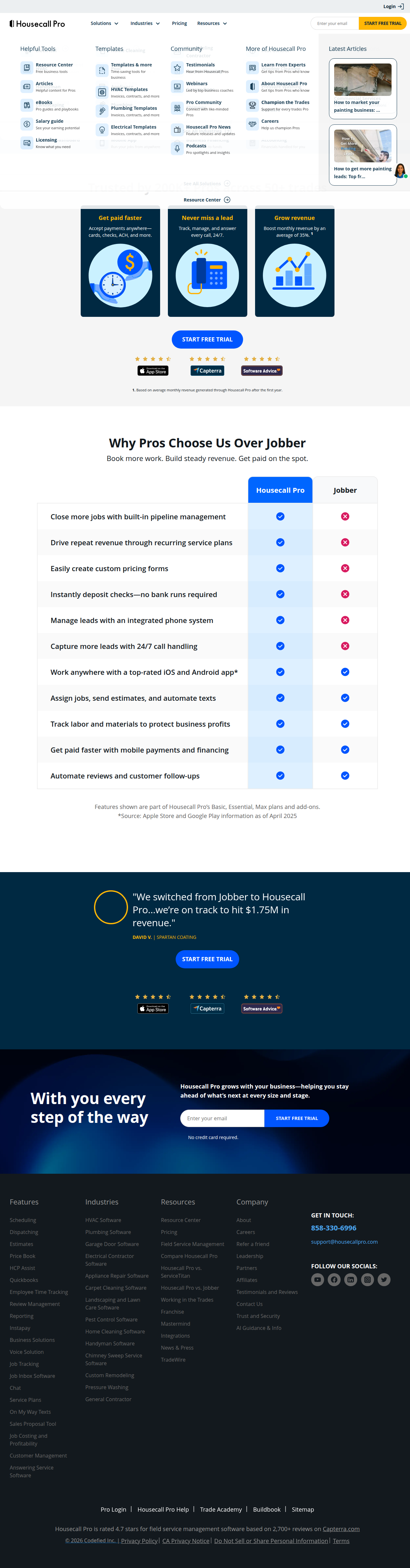 Housecall Pro's own comparison highlights where they differentiate from Jobber
What Is Housecall Pro?
Housecall Pro is field service software built for home service trades — HVAC, plumbing, electrical, garage doors, the whole stack. They have 200,000+ pros on the platform across 50+ trades. For HVAC specifically, they offer a dedicated HVAC software module with flat-rate pricing books, seasonal maintenance plan templates, and technician-friendly mobile workflows.
The platform is heavy on automation. Once a customer calls in (or books online), Housecall Pro can dispatch the tech, send "on my way" texts, collect payment in the field, and automatically request a review. The whole loop happens without the office manager touching anything.
For HVAC contractors, the standout features are:
- Flat-rate price books — Pre-loaded HVAC pricing for common repairs (capacitor swap, refrigerant recharge, condenser clean, etc.). You can customize margins, but the baseline is already there. This alone saves a day of setup time.
- Seasonal service plans — Recurring maintenance agreements are the lifeblood of a profitable HVAC shop. Housecall Pro has a dedicated Service Plans add-on ($25/mo) that auto-generates reminder calls, dispatches techs, and bills customers monthly.
- HCP Assist — Their 24/7 call answering add-on ($99/mo). A human (not AI) answers your after-hours calls, books appointments into your calendar, and forwards emergencies. I have thoughts on this — see the comparison section below.
- CSR AI — A newer AI agent that handles inbound calls, qualifies leads, and books appointments. This overlaps with what PrimoLocal's Novo does, but it's bolted onto Housecall Pro rather than being a standalone system.
- Pipeline — Lead tracking and automated follow-up sequences. If someone fills out your website form but doesn't book, Pipeline sends drip emails and texts until they convert or tell you to stop.
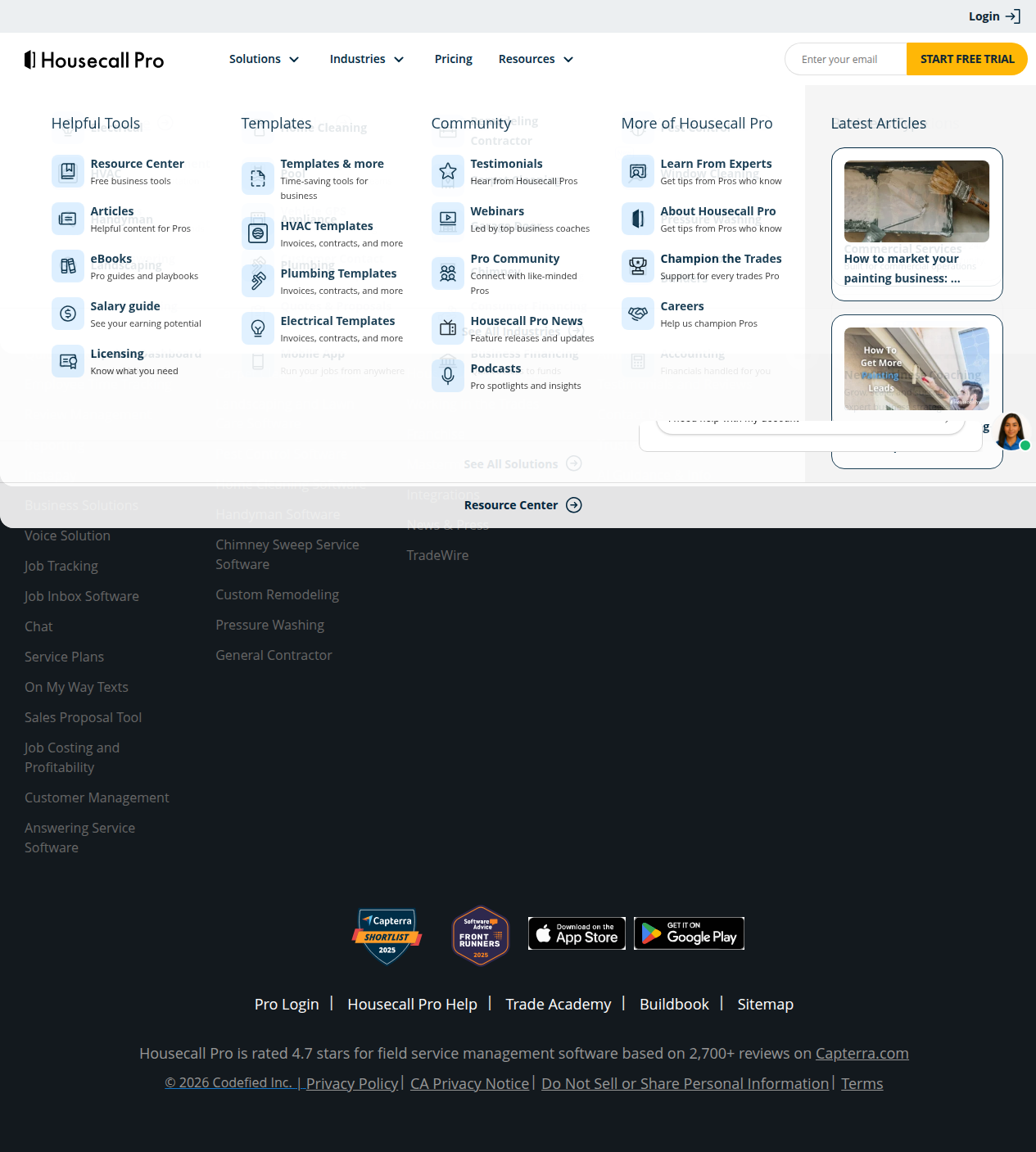 Housecall Pro's dedicated HVAC software module with flat-rate pricing and seasonal service plans
Pricing:
- Basic: $59/mo — 1 user, scheduling, dispatching, estimates, invoicing, mobile app
- Essentials: ~$169/mo — Up to 5 users, price books, review management, reporting
- MAX: ~$279/mo — Up to 8 users, advanced reporting, priority support, dedicated onboarding
All plans include live phone/chat support, card processing (as low as 2.59%), and the mobile app.
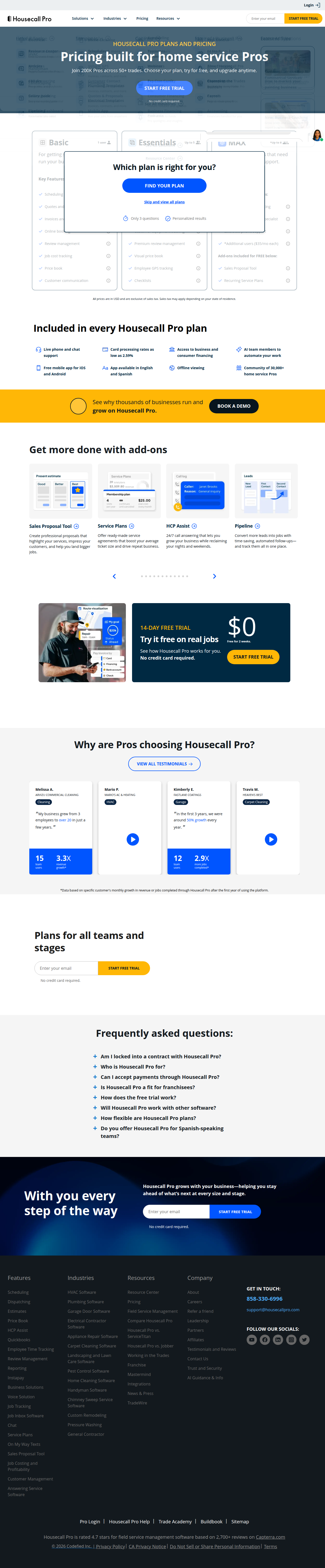 Housecall Pro pricing tiers as of May 2026
What Is Jobber?
Jobber is field service software built for small service businesses — not just HVAC, but cleaning, landscaping, handyman, pretty much any trade where you show up at someone's house, do the work, and send an invoice. It's the lighter, cleaner cousin to Housecall Pro. Where Housecall Pro piles on features, Jobber keeps the interface simple.
Jobber's strength is in the financial workflow. Invoicing, quoting, and QuickBooks sync are genuinely excellent. If your current system is "write the invoice in QuickBooks, text the customer a photo of the handwritten quote, and hope they pay," Jobber will feel like a spaceship.
For HVAC contractors, the key features are:
- Clean invoicing and quotes — Generate professional quotes on-site, convert to invoices with one click, and accept card payments through the app. The quote-to-cash workflow is smoother than Housecall Pro's.
- QuickBooks Online sync — Two-way sync that actually works. Invoices, payments, and customer data flow back and forth without duplicate entries. If you're already deep in QuickBooks, this is a big deal.
- Route optimization — Auto-sequences your tech's stops for the day. Saves 30-45 minutes of manual planning every morning.
- Client hub — Customers get a self-service portal to approve quotes, pay invoices, and book appointments. Reduces phone tag.
- Basic automation — Appointment reminders, follow-up emails, and review requests. Not as robust as Housecall Pro's Pipeline, but covers the essentials.
Pricing:
- Core: $49/mo — 1 user, quoting, invoicing, scheduling, client hub
- Connect: ~$149/mo — Up to 7 users, route optimization, automated reminders, QuickBooks sync
- Grow: ~$299/mo — Up to 30 users, advanced reporting, two-way texting, marketing tools
All plans include a 30-day free trial.
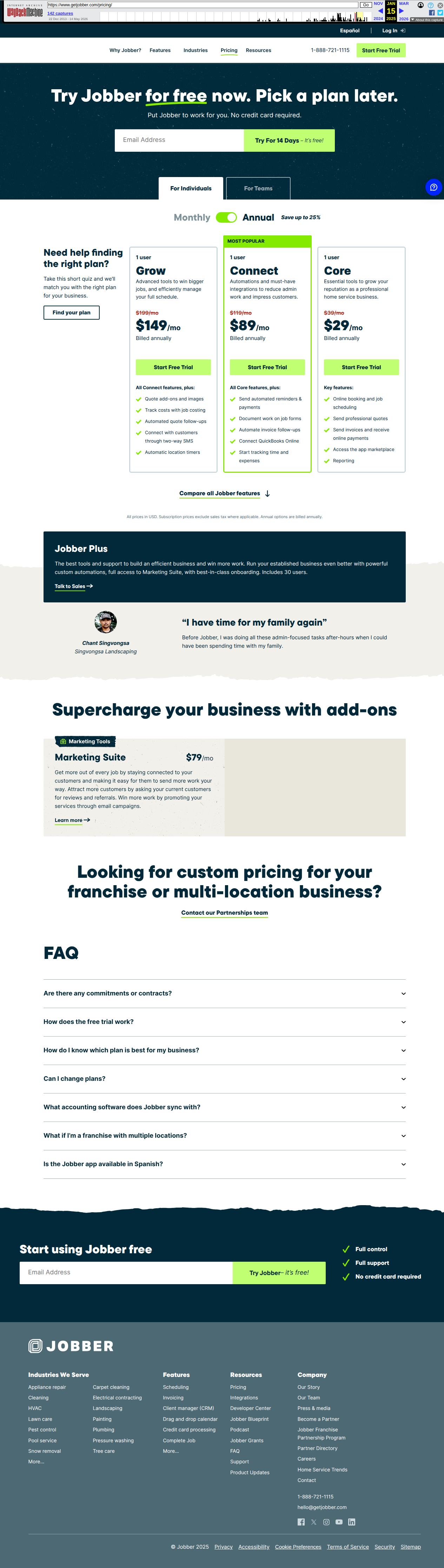 Jobber pricing tiers — Core, Connect, and Grow subscriptions
Head-to-Head: What Actually Matters for HVAC Contractors
Setup and Onboarding
Housecall Pro wins — but barely.
Both platforms advertise "get started in minutes." The reality is closer to a full day for either one. You need to load your customer list, set up your services and pricing, connect QuickBooks, configure notification templates, and train your techs on the mobile app.
Housecall Pro edges ahead because of the pre-built HVAC price book. You don't have to build flat-rate pricing from scratch — you import their template and adjust margins. For a new HVAC shop that doesn't have formal pricing yet, this is massive. Jobber gives you a blank slate, which is fine if you already know your numbers, but most 2-4 truck shops are still winging it.
Winner: Housecall Pro
Scheduling and Dispatching
Housecall Pro wins.
Both platforms handle the basics: drag-and-drop calendar, technician assignment, job status tracking. Housecall Pro goes deeper with real-time GPS tracking, automated "on my way" texts with live ETA, and a dispatch board that shows every tech's current job, next job, and drive time in between.
Jobber's dispatching is clean but simpler. If you have 2-3 techs, it's plenty. If you have 5+ techs and a dedicated dispatcher, Housecall Pro's board is the tool you want.
Winner: Housecall Pro
Invoicing and Payments
Jobber wins.
This is Jobber's home turf. The quote-to-invoice workflow is smoother, the templates look more professional, and the QuickBooks sync is more reliable. I've heard from HVAC contractors who switched from Housecall Pro to Jobber specifically because invoicing was costing them 2-3 hours per week in cleanup.
Housecall Pro's invoicing is fine. It's just not Jobber's strength, and it shows.
Winner: Jobber
Mobile App
Housecall Pro wins.
The Housecall Pro mobile app is built for technicians who are covered in dust and working with gloves on. Big buttons, offline mode (view jobs without signal), one-tap clock-in/clock-out, and photo upload for before/after shots. Techs actually use it without complaining.
Jobber's mobile app is good but feels more like an office tool ported to a phone. If your techs are smartphone-native, they'll figure it out. If they're still adjusting to digital anything, Housecall Pro is the gentler landing.
Winner: Housecall Pro
Customer Communication
Housecall Pro wins.
Automated appointment reminders, "on my way" texts, follow-up review requests, and post-job satisfaction surveys — Housecall Pro covers the full lifecycle. The Pipeline add-on ($49/mo) takes this further with lead nurturing sequences.
Jobber handles the basics well but doesn't match Housecall Pro's depth. If customer communication is a weak point in your shop (and for most HVAC contractors, it is), Housecall Pro gives you more leverage.
Winner: Housecall Pro
Review Management
Tie.
Both platforms send automated review requests after job completion. Both integrate with Google Business Profile. Both let you filter reviews so 5-star ratings go public and 3-star ratings go to you privately.
Housecall Pro has a slight edge with more template customization, but the core functionality is identical.
Winner: Tie
24/7 Call Answering
Neither platform solves this well — and this is where most HVAC shops leak money.
Housecall Pro offers HCP Assist ($99/mo), which is a human answering service. They answer calls, take messages, and book basic appointments. It's a real person, which is nice, but it's not an AI that can qualify leads, handle emergency triage, or have a real conversation about the customer's AC problem.
Jobber doesn't offer call answering at all.
Here's the reality: 35% of HVAC calls come in after 5 PM or on weekends. If those calls hit voicemail, 70% of them never call back. That's not a software problem — it's a phone-answering problem. Neither Housecall Pro nor Jobber solves it comprehensively. For Houston and Dallas HVAC contractors heading into peak season, the revenue impact of missed calls is staggering.
If you're evaluating either platform, budget separately for a 24/7 answering solution. PrimoLocal's Novo handles this specifically for HVAC contractors — AI that answers missed calls, books appointments into your Housecall Pro or Jobber calendar, and forwards true emergencies to your on-call tech. But even if you don't use Novo, get something. A $99/mo human answering service is better than voicemail.
Winner: Housecall Pro (by default, since Jobber doesn't offer it)
Pricing
Jobber wins on entry price. Housecall Pro wins on value at scale.
| Users | Housecall Pro | Jobber | |---|---|---| | 1 | $59/mo | $49/mo | | 3-5 | $169/mo | $149/mo | | 5-8 | $279/mo | $149/mo | | 8+ | Custom | $299/mo |
For a solo operator, Jobber saves $10/mo. For a 5-8 truck shop, Housecall Pro is actually cheaper ($279 vs $299 for Grow) and includes more features.
Add-ons are where Housecall Pro gets expensive:
- HCP Assist (answering): $99/mo
- Service Plans: $25/mo
- Pipeline: $49/mo
- CSR AI: Custom pricing
Jobber keeps it simpler. Fewer add-ons, fewer upsells.
Winner: Depends on team size. Jobber for 1-3 trucks. Housecall Pro for 3-8 trucks.
Who Should Use Housecall Pro?
You should choose Housecall Pro if:
- You run a 3-8 truck HVAC shop with a dedicated office manager or dispatcher
- You want pre-built HVAC flat-rate pricing (saves a full day of setup)
- You sell seasonal maintenance plans and need automated recurring billing
- Your techs need an app that works offline and with gloved hands
- You want the full customer communication stack (reminders, follow-ups, review requests) without adding more tools
- You're willing to pay for add-ons like answering service and lead pipeline
You should NOT choose Housecall Pro if:
- You're a solo operator who just needs clean invoicing and QuickBooks sync
- You hate add-on pricing and want everything in one flat fee
- Your techs are already comfortable with a simpler app
Who Should Use Jobber?
You should choose Jobber if:
- You're a 1-3 truck solo HVAC contractor or small team
- Invoicing, quoting, and QuickBooks sync are your top priorities
- You want a cleaner, simpler interface without feature bloat
- You're price-sensitive and want the lowest entry point
- You don't need advanced dispatching or seasonal service plan automation yet
You should NOT choose Jobber if:
- You have 5+ techs and need a real dispatch board
- You sell maintenance agreements and need automated recurring billing
- You want built-in answering service or advanced lead nurturing
The Option Nobody Talks About
Most HVAC contractors evaluate Housecall Pro and Jobber as if they're the only two choices. They're not. There's a third path that matters for shops doing $1M+ or planning to scale past 10 trucks.
ServiceTitan is the enterprise option. It's $500+/mo per user, requires a 12-month contract, and comes with a dedicated implementation team. For a 15-truck shop doing $3M+, ServiceTitan is the industry standard. For a 4-truck shop, it's overkill and the contract will suffocate you.
The real decision tree:
- 1-3 trucks: Jobber or Housecall Pro Basic
- 3-8 trucks: Housecall Pro Essentials or MAX
- 8-15 trucks: Housecall Pro MAX or ServiceTitan (if you have the budget)
- 15+ trucks: ServiceTitan
If you're in the 1-8 truck range, the Housecall Pro vs Jobber decision is the right one to make. Both will serve you well. The question is which one fits your current workflow without forcing you to rebuild your business around the software.
FAQ
Does either platform offer a free trial?
Yes. Housecall Pro offers a 14-day free trial. Jobber offers a 30-day free trial. Both give you full access to the platform during the trial.
Can I switch from one to the other later?
Yes, but it's painful. Customer data, job history, and pricing migrate over, but you'll need to retrain your team on the new interface. Most HVAC contractors who switch do it during a slow season (January-February) to minimize disruption.
Do either integrate with QuickBooks?
Yes, both integrate with QuickBooks Online. Jobber's sync is generally considered more reliable. Housecall Pro's sync works but requires more manual reconciliation.
What about payment processing?
Housecall Pro offers integrated card processing at 2.59% + $0.10 per transaction. Jobber uses Stripe integration, which runs around 2.9% + $0.30. Housecall Pro is cheaper on volume.
Can I use either platform without a smartphone?
No. Both are mobile-first platforms. Your techs need smartphones with the app installed. If your team is still on flip phones, neither platform will work for you.
Which one has better customer support?
Housecall Pro has live phone and chat support on all plans, plus a community of 30,000+ pros. Jobber offers email and chat support, with phone support on higher tiers. For HVAC contractors who want to pick up the phone and talk to someone, Housecall Pro wins.
What about financing for customers?
Housecall Pro has built-in customer financing through GreenSky and Wisetack. Jobber requires a third-party integration. If you sell high-ticket HVAC installations ($5K-$15K), built-in financing is a conversion tool you want.
Final Verdict
After talking to dozens of HVAC contractors and demoing both platforms, here's my take:
Housecall Pro is the better long-term platform for Texas HVAC. The pre-built price books, seasonal service plan automation, and technician-friendly mobile app are built specifically for the trade. If you're planning to grow past 3 trucks, start here.
Jobber is the better short-term platform if you're a solo operator who just needs to get off handwritten invoices. It's cheaper, cleaner, and the QuickBooks sync is excellent. If you're not sure you need field service software yet, Jobber is the lower-risk entry point.
The honest answer: Most HVAC contractors I talk to who started on Jobber eventually upgrade to Housecall Pro as they add trucks. The reverse almost never happens. That trend tells you something.
If you're on the fence, start with Jobber's 30-day trial. If you outgrow it in 12 months, you haven't wasted money. If you're already at 3+ trucks, skip the trial and go straight to Housecall Pro. The time you save on setup is worth the extra $10/mo.
What's Next
Choosing field service software is step one. Step two is making sure the leads you generate actually get answered.
Most HVAC contractors lose 15-20% of their inbound calls to voicemail — after-hours, lunch breaks, when the dispatcher is on another line. Housecall Pro and Jobber can schedule the jobs you catch. Neither one catches the jobs you miss.
If you want to see how much revenue you're actually leaving on the table, grab the HVAC Revenue Recovery Playbook. It's a 10-minute read that shows you the exact math on missed calls, after-hours bookings, and what a 24/7 answering system looks like for a real Texas HVAC shop. No sales pitch — just numbers. Or call (832) 737-0525 to hear Novo answer in real time.
Affiliate Disclosure: This article contains affiliate links for Housecall Pro and Jobber. If you sign up through these links, I earn a commission at no extra cost to you. I only recommend tools I've personally demoed and that HVAC contractors I work with are actively using. All opinions are my own.
Ready to stop losing revenue to voicemail?